From zero to a live
playable world
Open a live connection, set the scene with a prompt, and send controls. Oasis 3 streams a playable world back to your browser in realtime.
 oasis-3-preview
Live
oasis-3-preview
Live
A live connection, four moves
Oasis 3 is realtime. Your app opens one live connection, receives generated video continuously, and sends your controls back many times a second. There's no SDK to install; it's plain browser JavaScript (WebSocket and WebRTC).
<video> element.One image in, a world you can play
Hand Oasis 3 a single image and it becomes a live world your audience can move through in realtime.
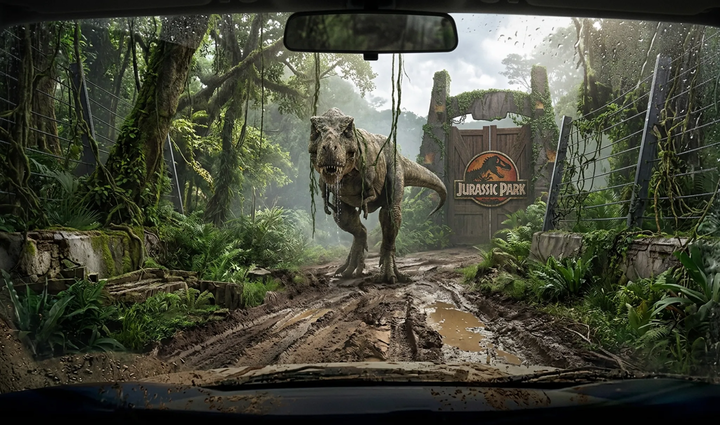
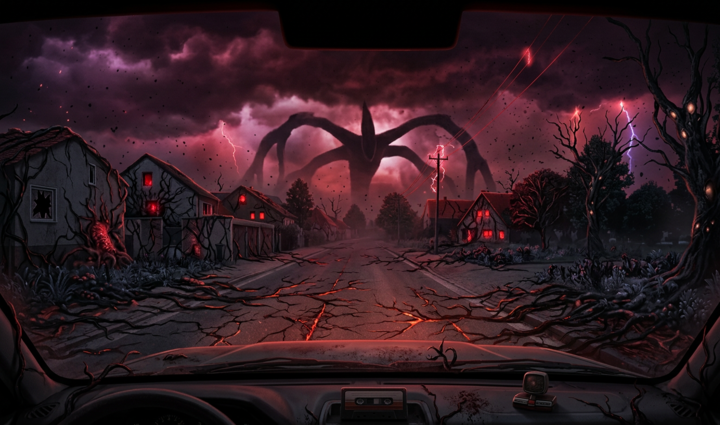
One generated frame becomes a world you can play. Any place your audience already loves can become a level. Image input is coming to the API; today's steps use text prompts.
Get your API key
Create a key in the platform dashboard. It takes under a minute.
platform.decart.ai/api-keysSign in → API Keys → Create API key ↗
// Server-side only — exchange your secret key for a short-lived client token.
const res = await fetch("https://api.decart.ai/v1/client/tokens", {
  method: "POST",
  headers: {
    "X-API-KEY": process.env.DECART_API_KEY,   // stays on the server, never in the browser
    "Content-Type": "application/json",
  },
  body: JSON.stringify({
    allowedModels: ["oasis-3-preview"],
    constraints: { realtime: { maxSessionDuration: 150 } },   // seconds
  }),
});
const { apiKey } = await res.json(); // a short-lived key. Hand THIS to the browser; it goes in the same api_key slot as the raw key.Building with a coding agent?
Using Claude Code, Codex, Cursor, or another AI assistant? Give it this guide before you write a line, so it gets the connection flow and message formats right the first time. Just hit Copy for agents up top. It drops the whole guide onto your clipboard, ready to paste into your agent.
Connect and receive video
Open the streaming WebSocket, do a quick WebRTC handshake over it, and the model's live video lands in a <video> element. This is the whole connection.
const STREAM_URL = "wss://api.decart.ai/v1/stream";
const MODEL = "oasis-3-preview";
const apiKey = "dct_...";   // your key from Step 01 (use a short-lived token in production)

const url = new URL(STREAM_URL);
url.searchParams.set("model", MODEL);
url.searchParams.set("api_key", apiKey);
const ws = new WebSocket(url);

let pc;
ws.onopen = async () => {
  // Set up WebRTC to RECEIVE the model's video stream
  pc = new RTCPeerConnection({ iceServers: [{ urls: "stun:stun.l.google.com:19302" }] });
  pc.addTransceiver("video", { direction: "recvonly" });

  // Live video arrives here. Wire it into your video element.
  pc.ontrack = (e) => { document.getElementById("video").srcObject = e.streams[0]; };

  // Trickle our network candidates to the server
  pc.onicecandidate = (e) => {
    if (e.candidate) ws.send(JSON.stringify({ type: "ice-candidate", candidate: { candidate: e.candidate.candidate, sdpMid: e.candidate.sdpMid, sdpMLineIndex: e.candidate.sdpMLineIndex } }));
  };

  // Send our offer to start the handshake
  const offer = await pc.createOffer();
  await pc.setLocalDescription(offer);
  ws.send(JSON.stringify({ type: "offer", sdp: offer.sdp }));
};

ws.onmessage = async (e) => {
  const msg = JSON.parse(e.data);
  if (msg.type === "answer") {
    await pc.setRemoteDescription({ type: "answer", sdp: msg.sdp });
    // Connected. Now set the scene (Step 04).
  }
  if (msg.type === "generation_started") {
    // World is live. Start sending controls (Step 05).
  }
};<video id="video" autoplay muted playsinline> on your page. The autoplay muted part is required, or the browser won't start playing it.ontrack, set e.receiver.playoutDelayHint = 0 and e.receiver.jitterBufferTarget = 0 to keep the stream as live as possible.answer, so there's no incoming ice-candidate message to handle. Just trickle yours, as shown.Set and change the scene
Once connected, send a prompt message to open the world. Send another one anytime to change it live, mid-session, with no reconnect. Use it to restyle, switch environments, or move to a new stage.
// Send this once you're connected (from Step 03's answer handler). enhance_prompt fills in detail for a terse prompt.
ws.send(JSON.stringify({
  type: "prompt",
  prompt: "a rainy downtown avenue at night, wet reflections",
  enhance_prompt: true,
}));

// ...then change it live anytime, no reconnect (send one at a time; these are separate examples)
ws.send(JSON.stringify({ type: "prompt", prompt: "the same street, heavy fog", enhance_prompt: true }));
ws.send(JSON.stringify({ type: "prompt", prompt: "a black-and-white film-noir version", enhance_prompt: true }));true for short prompts you write yourself (Oasis fills in the detail), and false for prompts that are already detailed, like the gallery ones below.Name the setting
Environment, time of day, weather, surface. Like "snowy mountain pass at night."
Restyle as a lever
Fog, black-and-white, or a season change makes the same world easier or harder.
Change = new stage
A fresh prompt reshapes the world live, so use it to advance a mission or bump difficulty.
Keep it concrete
Describe what's on screen. Skip negatives ("no cars") and vague asks ("make it cool").
Real scene prompts from the Oasis 3 preview. Copy one to start, then tweak it. These are already enhanced, so send them with enhance_prompt: false.
A rainy night covers a dense downtown avenue under traffic lights, storefront signs, and bright reflections from wet pavement. The asphalt is slick, divided by clear lane markings, curb lanes, crosswalks, and raised sidewalks on both sides. Moderate traffic is present, with yellow taxis, passenger cars, and a delivery van spaced across the lanes while pedestrians wait at the corners. Glass storefronts, bus shelters, signal poles, street trees, and parking signs frame the block. The scene remains a realistic urban roadway with ordinary wet-weather conditions and no unusual obstacles.
A foggy early morning covers a coastal bridge approach under pale gray light and low visibility. The road surface is slightly damp, with solid white edge lines, dashed lane markings, concrete barriers, and narrow shoulders. Light traffic is present, including compact cars and a city bus spaced across the lanes, with no pedestrians on the bridge. Bridge railings, overhead lamps, warning signs, sea mist, and faint outlines of water beyond the barriers define the surroundings. The scene appears consistent with a common coastal commute and no unusual obstructions.
A warm sunset illuminates a dry desert highway with orange light spreading across a long straight roadway. The asphalt surface is dry, with bright lane dividers, rumble-strip shoulders, and low guardrails along sandy embankments. Traffic is sparse, with a pickup truck, an SUV, and a tractor trailer visible at long distances. Utility poles, small highway signs, scrub vegetation, and distant mesas surround the open roadside. The scene remains a realistic southwestern highway setting with clear visibility and no abnormal obstacles in the lanes.
More presets live in the Oasis 3 preview ↗.
Send controls
Once you get generation_started, stream action messages, about 30 times a second. Each carries a control value from -1 to 1. Map keyboard or gamepad input into those values and you have live gameplay.
// Current control values, updated from your input (e.g. WASD)
let control = { throttle: 0, steering: 0 };   // each in [-1, 1]

// Example: keyboard -> control values
const keys = {};
addEventListener("keydown", (e) => keys[e.key.toLowerCase()] = true);
addEventListener("keyup", (e) => keys[e.key.toLowerCase()] = false);
function readInput() {
  control.throttle = keys["s"] ? -1 : (keys["w"] ? 1 : 0);
  control.steering = (keys["a"] ? 1 : 0) + (keys["d"] ? -1 : 0);
}

// Call startControls() once you receive `generation_started` (see Step 03)
let seq = 0, controlLoop;
function startControls() {
  if (controlLoop) return;   // don't start twice
  controlLoop = setInterval(() => {
    if (ws.readyState !== WebSocket.OPEN) return;
    readInput();
    ws.send(JSON.stringify({ type: "action", seq: ++seq, action: control }));
  }, 1000 / 30);
}The complete client
Everything above in one standalone HTML file: connect, receive video, set a scene, and stream controls. Save it, add your key, open it in a browser, and you have a playable world.
<!doctype html>
<video id="video" autoplay muted playsinline style="width:100%"></video>
<script>
const apiKey = "dct_...";   // your key from Step 01 (use a short-lived token in production)
const MODEL = "oasis-3-preview";
const video = document.getElementById("video");
const control = { throttle: 0, steering: 0 };

const url = new URL("wss://api.decart.ai/v1/stream");
url.searchParams.set("model", MODEL);
url.searchParams.set("api_key", apiKey);
const ws = new WebSocket(url);
let pc;

ws.onopen = async () => {
  pc = new RTCPeerConnection({ iceServers: [{ urls: "stun:stun.l.google.com:19302" }] });
  pc.addTransceiver("video", { direction: "recvonly" });
  pc.ontrack = (e) => {
    // keep it as live as possible (no buffering delay)
    if ("playoutDelayHint" in e.receiver) e.receiver.playoutDelayHint = 0;
    if ("jitterBufferTarget" in e.receiver) e.receiver.jitterBufferTarget = 0;
    video.srcObject = e.streams[0];
    video.play().catch(() => {});
  };
  pc.onicecandidate = (e) => {
    if (e.candidate) ws.send(JSON.stringify({ type: "ice-candidate", candidate: { candidate: e.candidate.candidate, sdpMid: e.candidate.sdpMid, sdpMLineIndex: e.candidate.sdpMLineIndex } }));
  };
  const offer = await pc.createOffer();
  await pc.setLocalDescription(offer);
  ws.send(JSON.stringify({ type: "offer", sdp: offer.sdp }));
};

ws.onmessage = async (e) => {
  const msg = JSON.parse(e.data);
  if (msg.type === "answer") {
    await pc.setRemoteDescription({ type: "answer", sdp: msg.sdp });
    ws.send(JSON.stringify({ type: "prompt", prompt: "a desert highway at sunset", enhance_prompt: true }));
  }
  if (msg.type === "generation_started") startControls();
  if (msg.type === "error") console.error("Oasis error:", msg.error_type);
};

const keys = {};
addEventListener("keydown", (e) => keys[e.key.toLowerCase()] = true);
addEventListener("keyup", (e) => keys[e.key.toLowerCase()] = false);

let seq = 0, controlLoop;
function startControls() {
  if (controlLoop) return;   // don't start twice
  controlLoop = setInterval(() => {
    if (ws.readyState !== WebSocket.OPEN) return;
    control.throttle = keys["s"] ? -1 : (keys["w"] ? 1 : 0);
    control.steering = (keys["a"] ? 1 : 0) + (keys["d"] ? -1 : 0);
    ws.send(JSON.stringify({ type: "action", seq: ++seq, action: control }));
  }, 1000 / 30);
}
</script>The message protocol
Every message exchanged over the live connection: what your app sends, and what Oasis sends back.
↑ Your app sends
↓ Oasis sends back
Start from an image, not just a prompt
Today a session opens from a text prompt. Next, you'll be able to boot the world from an image: hand the model a still and it becomes your first frame, so you can drop players straight into a specific place or look, then play from there with the same prompts and controls.
Early results are promising; the public API for image start isn't live yet. It'll slot in here once shipped.
Games on a world model
Oasis 3 gives you three basics: set a scene, send controls, and get live video. Layer game logic on top (a vision model watching the stream, counters, timers) and you get real gameplay loops:
- Landmark huntingExplore to find a target; a vision model watches the stream and advances the stage when it spots it.
- Restyle progressionEvery milestone reshapes the world with one prompt: fog rolls in, color drains, difficulty rises.
- AvoidanceMove through the world while dodging something that can appear on screen. Think horror, chase, or stealth.
- Delivery & photo missionsGet from A to B under a timer, or reach a spot and grab the frame as proof.
- Shareable clipsRecord the video stream into clips players can share.
The loop is always the same: a player acts, you detect a condition, you change the world, and move to the next stage.